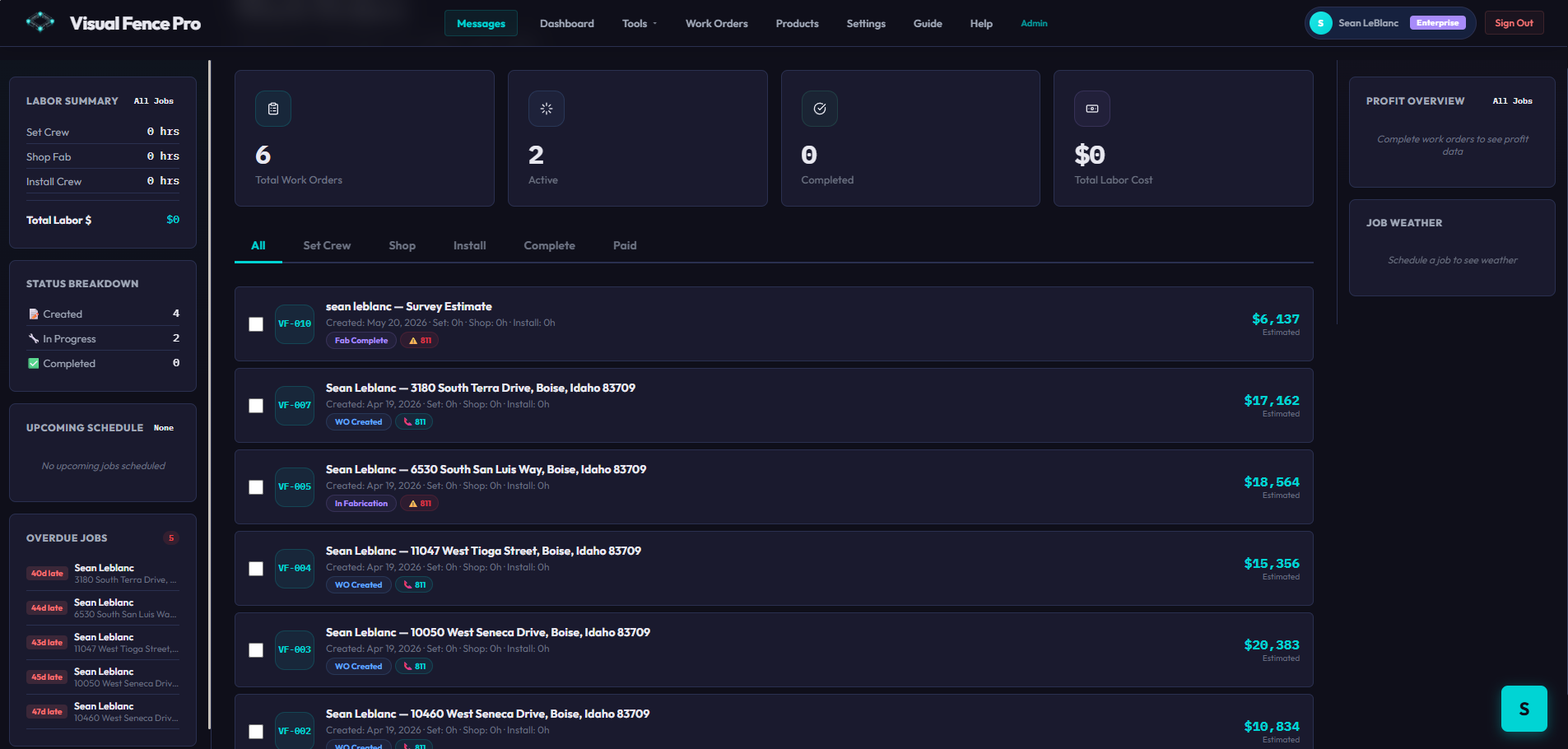
The approved quote's material list, layout, and pricing carry straight into a work order. Schedule the crew, log job photos, handle change orders — and give every customer a branded hub to watch their job from quote to finished.
Your work-order command center
One click turns the approved quote into a work order — every material, the layout, and your pricing carried over.
Assign the crew, set the date, and track status through set, shop, install, and complete. Log hours and job photos as you go.
The customer follows along in their hub — progress timeline, photos, and messaging — so you build instead of fielding calls.
The money's made in the field, not in re-typing quotes, fielding "is it done yet?" calls, and chasing down what each crew needs. This handles the back office so you can build.
The approved quote becomes the work order automatically — every board, post, and bag of concrete already counted, layout and pricing carried over. No double-entry, no transcription mistakes.
Save the back officeHand the crew a work order with the full material list, the fence layout, and job photos attached. No "how many pickets?" calls from the yard, no mid-job runs back to the supplier.
Fewer trips, fewer mistakesEvery customer gets a branded Customer Hub — a live progress timeline, stage-by-stage job photos, and two-way messaging. They stop calling "is it done yet?" because they can see for themselves.
Fewer interruptionsA clear status workflow from scheduled to complete, change orders logged, overdue jobs flagged right on the dashboard. You always know what's where — across every crew and every job.
Stay on top of it allYou're the office and the crew. Convert, schedule, and track every job from one dashboard — no spreadsheets, no sticky notes on the dash.
Track what each crew is building, what's overdue, and what's scheduled next — without calling around for status updates all day.
Push more jobs through the pipeline with a status workflow that flags anything slipping — so volume doesn't turn into chaos.
Want the full breakdown? What goes on a fence work order, how to schedule crews, and how job tracking keeps customers happy.
Read the complete guide →Work orders, scheduling, and the Customer Hub are on the Pro plan. Start free and upgrade when you're ready — no credit card to begin.
Get Started Free →