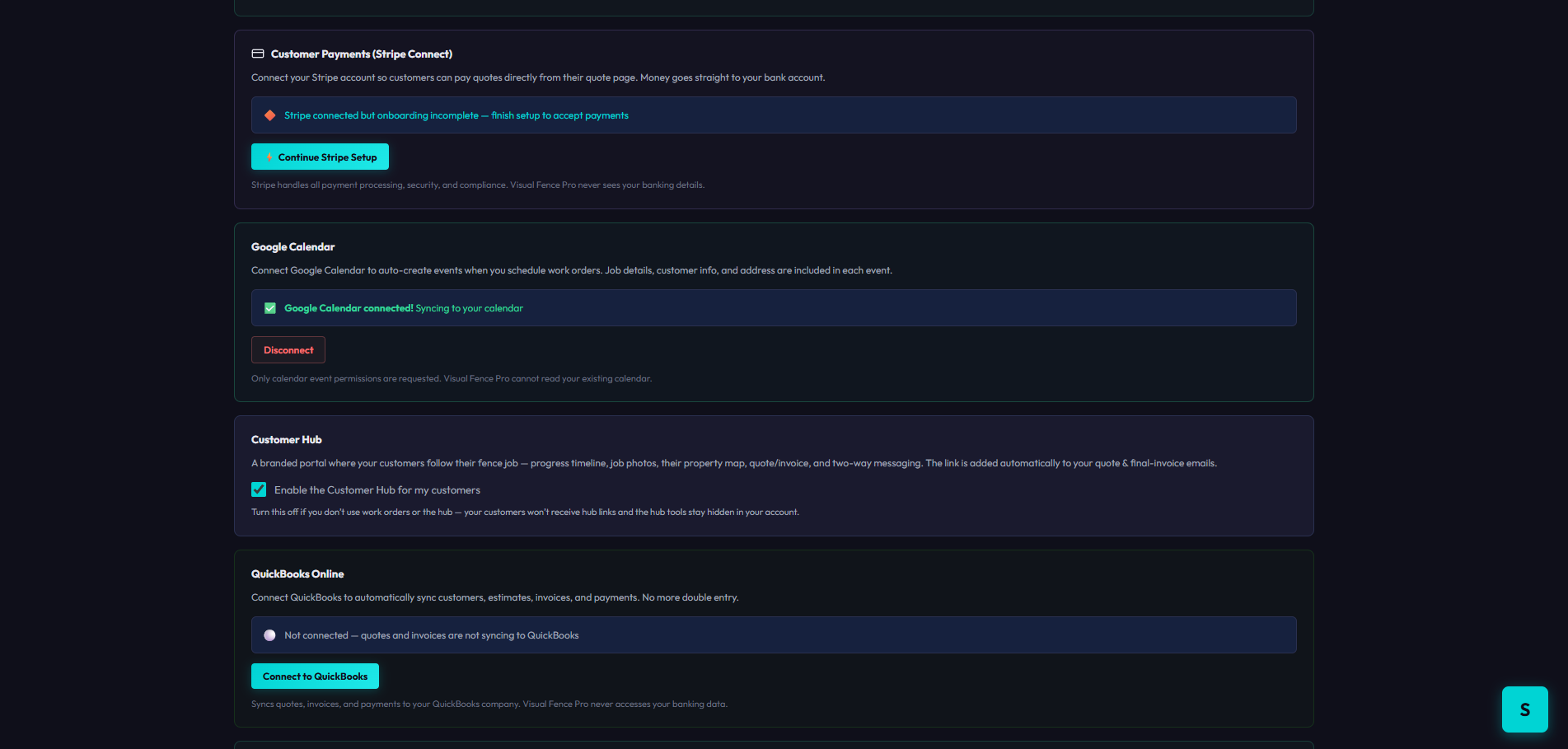
Connect QuickBooks, Stripe, Google Calendar, and Jobber in one click each. Customers, invoices, payments, and crew schedules sync automatically — so you stop entering the same job into five different places.
All your integrations, one place
Open Settings, click Connect on the integration you want, and authorize it on the provider's secure page. Done in seconds.
Customers, estimates, invoices, payments, and schedules flow between Visual Fence Pro and your other tools automatically.
You enter a job once. No more typing the same customer and invoice into QuickBooks by hand, or copying jobs into a calendar.
Most contractors re-type the same job into their books, their calendar, and their payment system by hand. Connect them once and that busywork disappears.
Connect QuickBooks Online and customers, estimates, invoices, and payments sync automatically. Stop typing the same job into two systems and stop reconciling by hand at month-end.
Books stay cleanConnect Stripe and customers pay deposits and invoices online, straight from their quote. The money lands in your bank account — no card reader, no waiting on a check in the mail.
Get paid fasterConnect Google Calendar and every scheduled work order becomes a calendar event with the job details, customer info, and address — so your crew always knows where to be next.
Crews on timePush a finished Visual Fence Pro quote straight into Jobber — customer, property, and line items — and keep scheduling, dispatch, and invoicing right where your team already works.
No rip-and-replaceLet QuickBooks and Stripe handle the paperwork so you're not catching up on invoices and payments at the kitchen table every Sunday.
Jobs, money, and schedules all stay in sync across your tools — so the office, the field, and the books are always looking at the same numbers.
Push more jobs through without hiring an office manager to re-key everything. The integrations do the data entry for you.
Stripe and Jobber are on every plan; QuickBooks and Calendar on Pro and up. Start free — no credit card to begin.
Get Started Free →